Try any paid plan free for 14 days — no credit card, no commitment, no contract.14-day free trial on all paid plans — no card needed. Start free trial
Reply to Google Reviews from One Dashboard
Respond to reviews without switching to Google. Use AI-generated drafts, manage responses across locations, and keep a full activity log.
Who this is for
Business owners
Respond to reviews without logging into Google separately. Save time with AI-suggested replies you can edit before posting.
Teams managing multiple locations
Centralize response management. See which reviews need replies, assign responsibility, and track who responded.
The problem
Responding to reviews means logging into each Google Business Profile separately. For multi-location businesses, that's multiple logins, multiple tabs, and no centralized view of what's been answered.
There's no way for a team to manage responses centrally, use templates, or maintain a consistent voice across locations without a shared tool.
How it works
- 1
View a review in your dashboard
See the full review text, star rating, and reviewer info. Unreplied reviews are highlighted.
- 2
Write your reply or click "Generate AI Reply"
Type a custom response or let AI draft one based on the review content and your business context.
- 3
Edit the draft if needed
AI drafts are starting points. Adjust tone, add specifics, or rewrite entirely before posting.
- 4
Click Post — response appears on Google immediately
Your reply is published directly to Google via API. No delay, no intermediate step.
- 5
Response is logged in activity history
Full audit trail: who replied, when, and what they said. Visible to workspace admins.
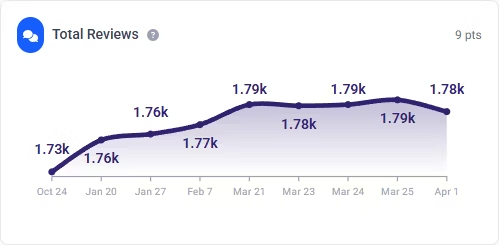
Demo data shown.
Feature availability by plan
| Plan | Reply from dashboard | AI-generated replies |
|---|---|---|
| Starter (free) | — | — |
| Personal | — | — |
| Professional | ✓ | ✓ |
| Enterprise | ✓ | ✓ |
Limitations
- AI generates acknowledgement-only replies — no solutions, no promises, no commitments. It thanks the reviewer and acknowledges their feedback.
- You must review and approve every reply before posting. There is no auto-reply mode.
- Replies are rate-limited to comply with Google API quotas. High-volume bursts may be throttled.
- Requires write access to be enabled in your Google OAuth settings. Read-only connections cannot post replies.
FAQ
What do AI-generated replies say?
AI replies acknowledge the review, thank the reviewer, and reflect the sentiment. They never make promises, offer solutions, or commit to specific actions. You always review and edit before posting.
Can team members reply to reviews?
Yes. Owners and admins can post replies directly. Members can draft replies that an owner, admin, or client approves before they post — useful for agencies that want client sign-off. Client-role members approve or request changes but don't draft.
Does it work with custom OAuth credentials?
Yes. Whether you use our default credentials or your own custom OAuth setup, replies work the same way. Write access must be enabled in either case.
Are there rate limits on replies?
Yes. Google's API has quotas on reply operations. For most businesses this isn't an issue, but if you're responding to hundreds of reviews in a short burst, some may be queued and sent with a slight delay.
Useful next steps
Try a review response before connecting Google
Explore all free Google review and local SEO toolsRespond to every review from one place
Reply and AI replies available on Professional and Enterprise plans. Start tracking reviews free today.
Get Started Free